OpenVPN® configuration guide for all major platforms
OpenVPN® is one of the most popular protocols to establish a VPN connection thanks to its connection speed, performance, and security qualities.
More information about OpenVPN® features you can find in the article What is OpenVPN® protocol?
This guide will walk you through the OpenVPN® setup on the most popular platforms, such as iOS, Android, macOS, Windows, and Linux. So let's start!
First of all, you need to create the OpenVPN® configuration files. In this regard, please follow a few simple steps described in our tutorial.
Now, choose your platform and follow a few simple steps.
1. Install the OpenVPN® Connect app from the Google Play Store.
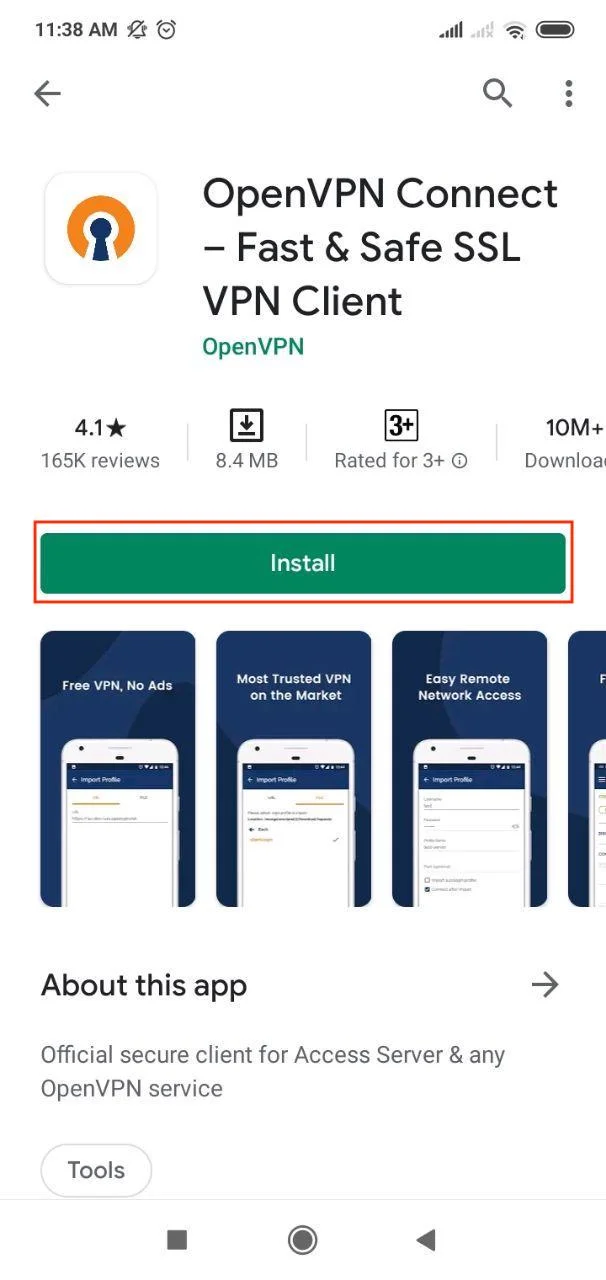
2. Open the app and go to the File tab. Press Allow.
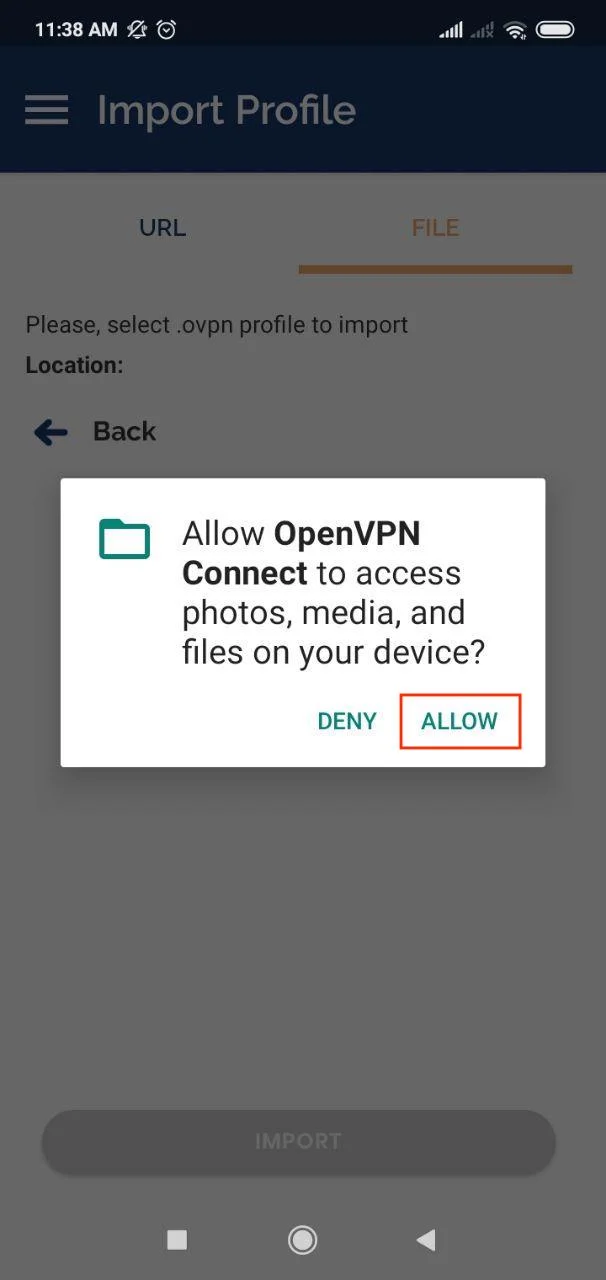
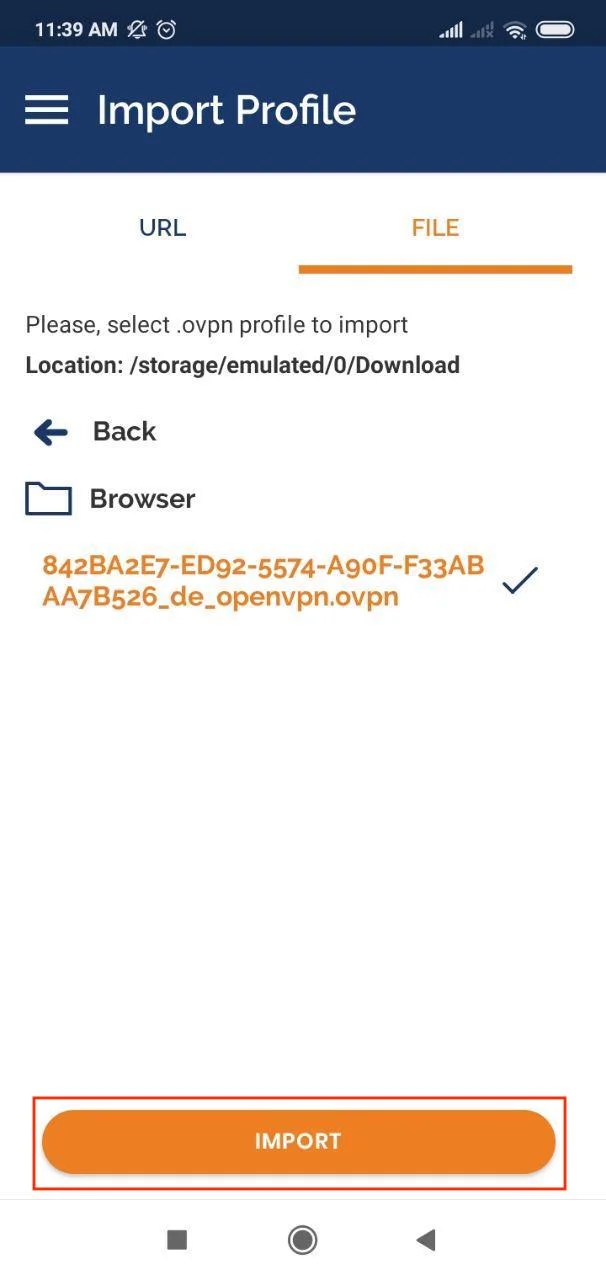
3. Choose the appropriate configuration file, tap Import.
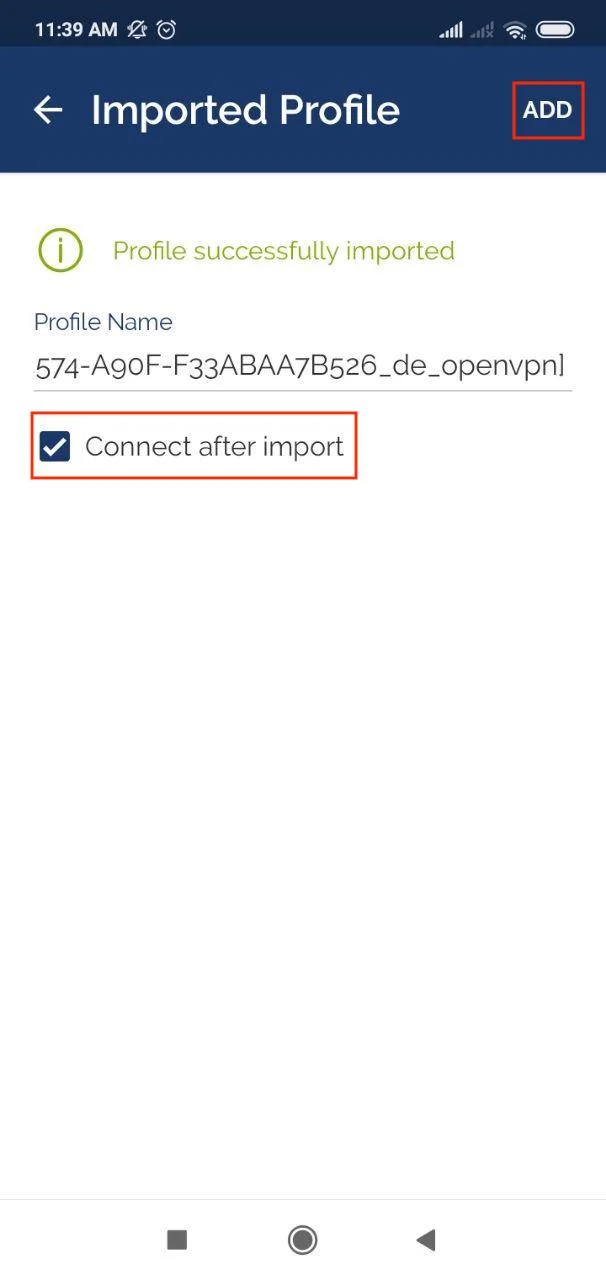
4. If you want to establish your VPN connection immediately after downloading files, select the Connect after import checkbox. Click Add.
You’ll receive a standard system message with a connection request. Click OK.
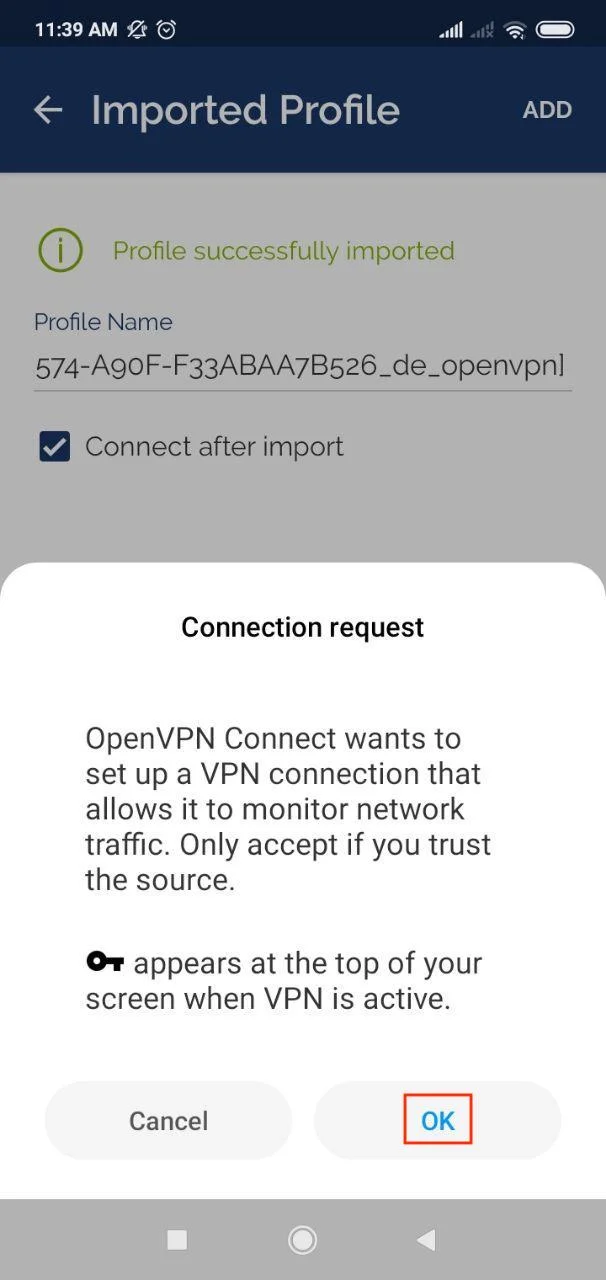
That’s it! Now you are connected to the VPN server via the OpenVPN® protocol.
Important! Please note that you will need to configure your device using the generated settings by yourself at your own risk.
“OpenVPN” is a registered trademark of OpenVPN Inc.
Get started with VPN Unlimited right now!
Grab your 7-day free trial and check out all VPN Unlimited features like Lifetime subscription.