OpenVPN® configuration guide for all major platforms
OpenVPN® is one of the most popular protocols to establish a VPN connection thanks to its connection speed, performance, and security qualities.
More information about OpenVPN® features you can find in the article What is OpenVPN® protocol?
This guide will walk you through the OpenVPN® setup on the most popular platforms, such as iOS, Android, macOS, Windows, and Linux. So let's start!
First of all, you need to create the OpenVPN® configuration files. In this regard, please follow a few simple steps described in our tutorial.
Now, choose your platform and follow a few simple steps.
1. Execute the following commands in the terminal:
-
sudo apt install openvpn
-
sudo apt install network-manager-openvpn-gnome
-
sudo systemctl restart network-manager.service
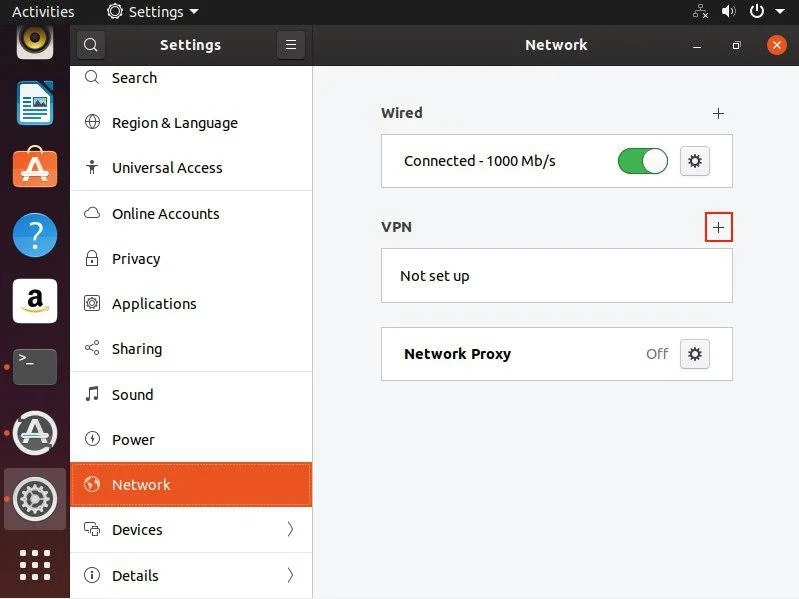
2. Go to Settings > Network. Click the + button in VPN section.
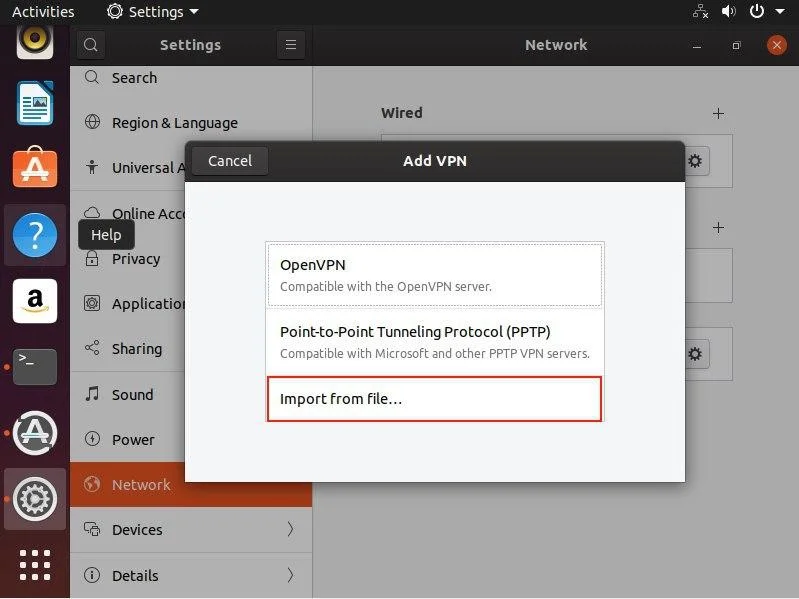
3. Select Import from file.
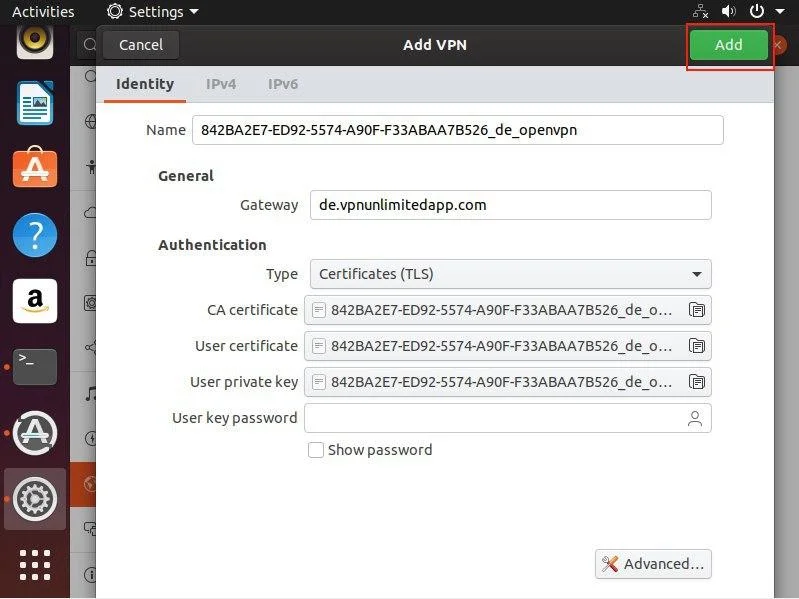
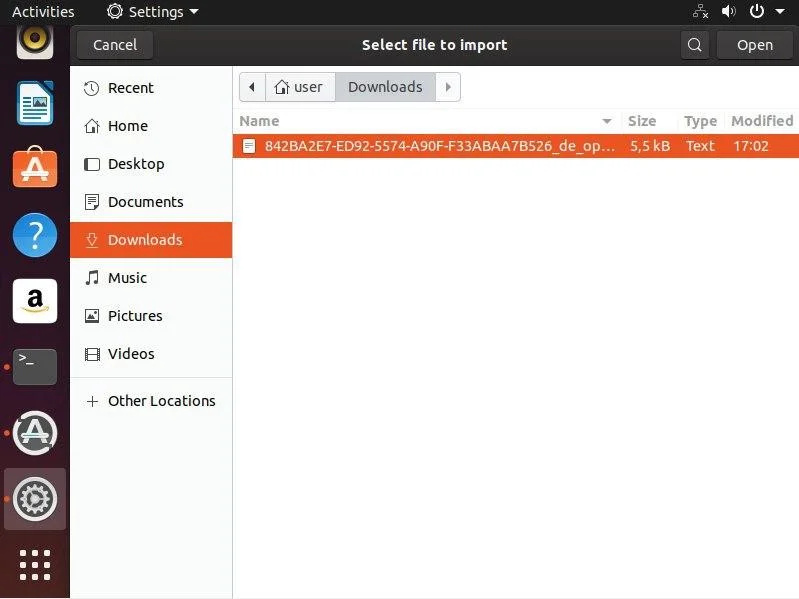
4. Choose the file with VPN configuration and click Add.
5. To establish the VPN connection enable the appropriate option.
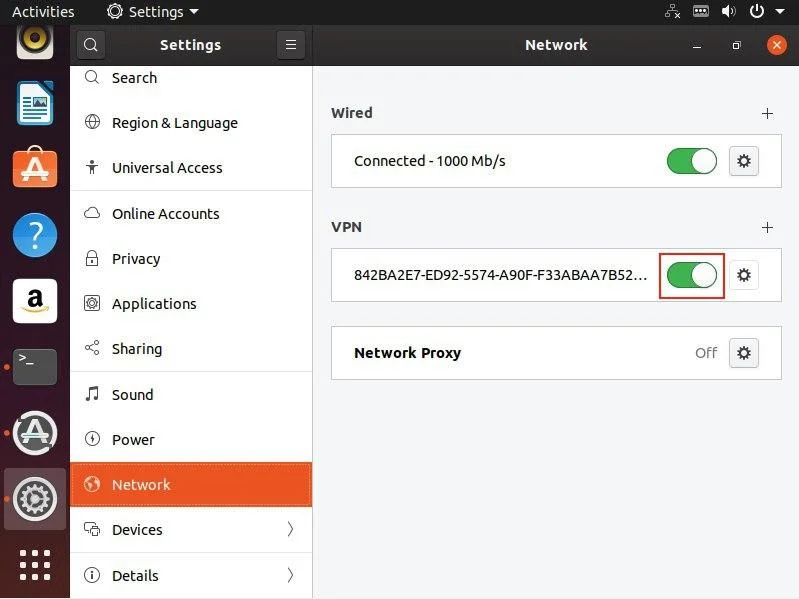
That’s it! Now you are connected to the VPN server via the OpenVPN® protocol.
Important! Please note that you will need to configure your device using the generated settings by yourself at your own risk.
“OpenVPN” is a registered trademark of OpenVPN Inc.
Want to try our secure VPN client?
No more time to waste! Select your perfect subscription plan and start browsing the web like a pro!