
VPN Unlimited for iOS is the official VPN Unlimited app for supported iPhone and iPad devices. You can use it to sign in with your KeepSolid ID, manage connection settings, and access support resources.
VPN for iPhone
iOS 13.0 or later

iOS App Highlights:
- Official VPN Unlimited app for iOS
- Simple interface for iPhone and iPad
- Sign in with your KeepSolid ID
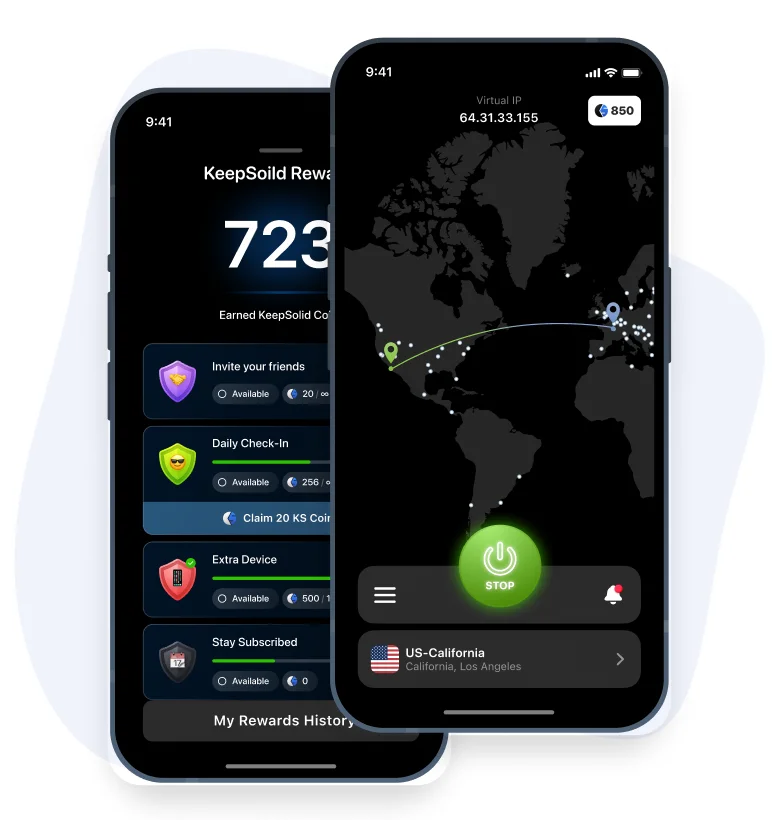

VPN Unlimited iOS App Features
iOS App
VPN Unlimited for iOS provides a clear mobile interface for supported iPhone and iPad devices. Sign in with your KeepSolid ID to set up and manage your VPN connection in the app.
Kill Switch
Kill Switch is an optional app feature that can stop internet traffic if the VPN connection is interrupted. Availability may depend on your iOS version and app settings.
Trusted Networks
Trusted Networks lets you choose WiFi networks where the VPN connection does not need to start automatically. You can manage this option in the VPN Unlimited iOS app settings.
How to Get Started on iOS
Download the official iOS app
Sign in with your KeepSolid ID
Follow the in-app instructions
For setup, account, or billing questions, visit the FAQ or contact our Support team.
_15899.png)
Official VPN Unlimited App for iPhone
Built for iPhone
VPN Unlimited is available for supported iPhone devices. Install the official iOS app, sign in with your KeepSolid ID, and follow the in-app setup instructions.
Secure Connection Features
The iOS app includes connection and privacy settings that you can manage directly in the application.
Account and Support Access
Sign in with your KeepSolid ID to use your VPN Unlimited subscription and access support resources when needed.
Why Use the Official iOS App
VPN Unlimited for iOS provides a simple way to manage your VPN connection on supported iPhone and iPad devices. The app is designed for everyday use, with connection settings, subscription access, and support resources available in one place.
When using networks you do not fully control, such as public WiFi, the app can help protect your connection according to your selected settings. Use VPN Unlimited in accordance with applicable laws, platform rules, and service terms.
_15900.png)
Official VPN Unlimited App for iPad
Built for iPad
VPN Unlimited is available for supported iPad devices. Install the official iOS app, sign in with your KeepSolid ID, and follow the in-app setup instructions.
Connection Settings
Manage VPN connection options directly in the iOS app. Available settings may depend on your device, iOS version, and subscription status.
Account and Support Resources
Use your KeepSolid ID to access subscription information, Help Center articles, manuals, FAQ, and customer support.
VPN Unlimited iOS App Features

Connection Protection
VPN Unlimited for iOS includes connection protection features for supported iPhone and iPad devices. You can manage these options in the app settings.

App Settings
Manage available VPN options directly in the iOS app. Feature availability may depend on your device, iOS version, and subscription.

Connection Options
Choose from available VPN connection options in the app according to your subscription, device settings, and service availability.

Supported Devices
Use your VPN Unlimited account on supported devices according to your subscription terms.

Plan-Based Usage
Use VPN Unlimited according to your active subscription, device settings, and service availability.

Account Options
Review available account and subscription options through your KeepSolid ID or customer support resources.
_15901.png)
Trial and Refund Information
VPN Unlimited is a subscription-based service. Trial options may be available depending on your purchase method, account status, App Store rules, and applicable terms.
Refund options may also be available according to the Refund Policy, App Store purchase rules, and your subscription details. Please review the purchase terms before subscribing.
- Download the official VPN Unlimited iOS app
- Open the app on your iPhone or iPad
- Sign in with your KeepSolid ID or create one
- Review available trial or subscription options