如何将 VPN 无限扩展添加到 Microsoft Edge
想要在您的 Microsoft Edge 浏览器中安装 VPN Unlimited 扩展程序?您可以从 Microsoft Store 下载,或者如果由于某种原因无法使用,还有另一种方法可以将 VPN Unlimited 添加到 Microsoft Edge - 从 Chrome 应用商店安装 VPN Unlimited 扩展程序。
从 Chrome 商店安装 VPN 无限扩展程序
- 打开 Microsoft Edge,然后按

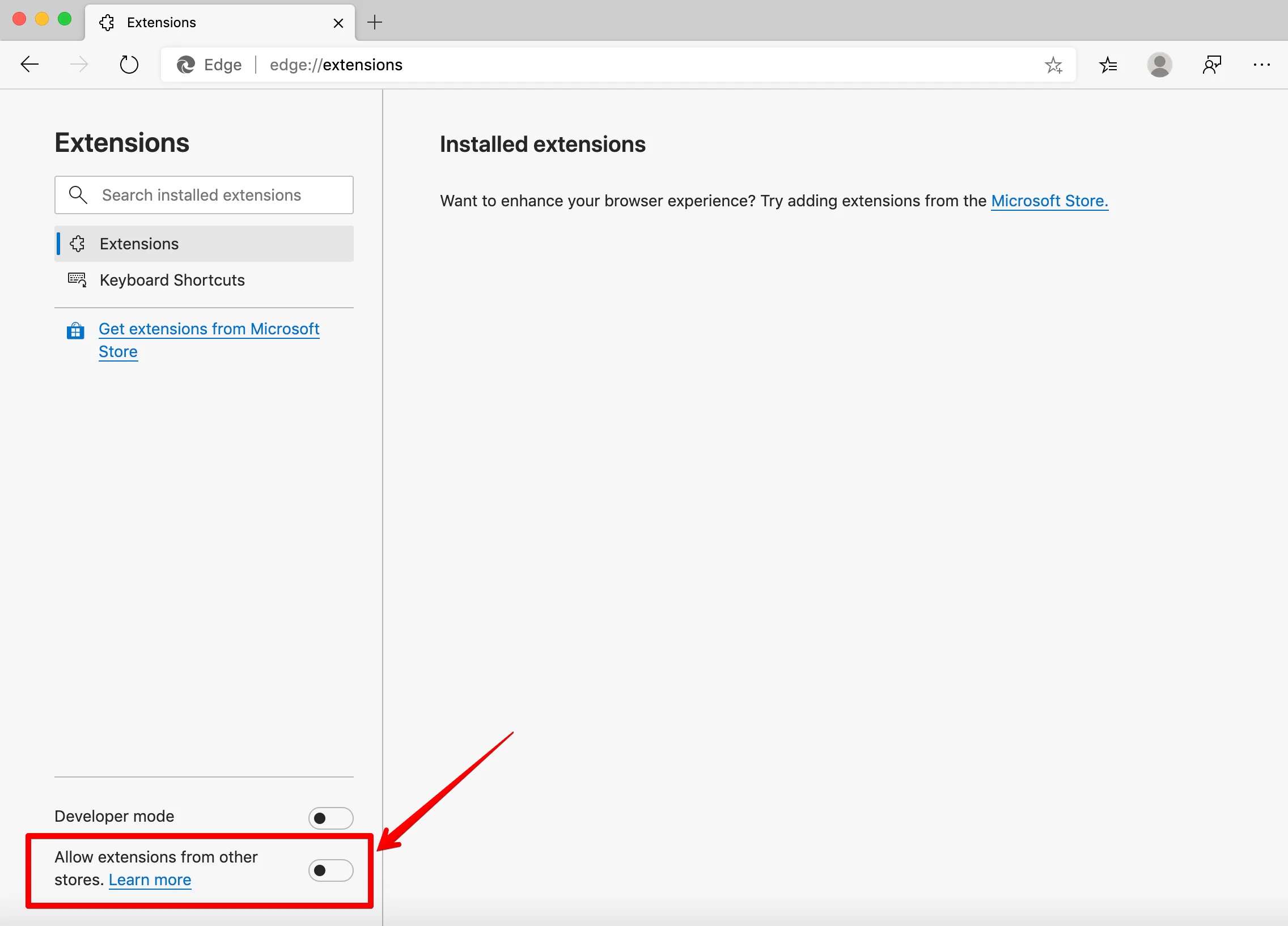
- 导航至扩展程序。
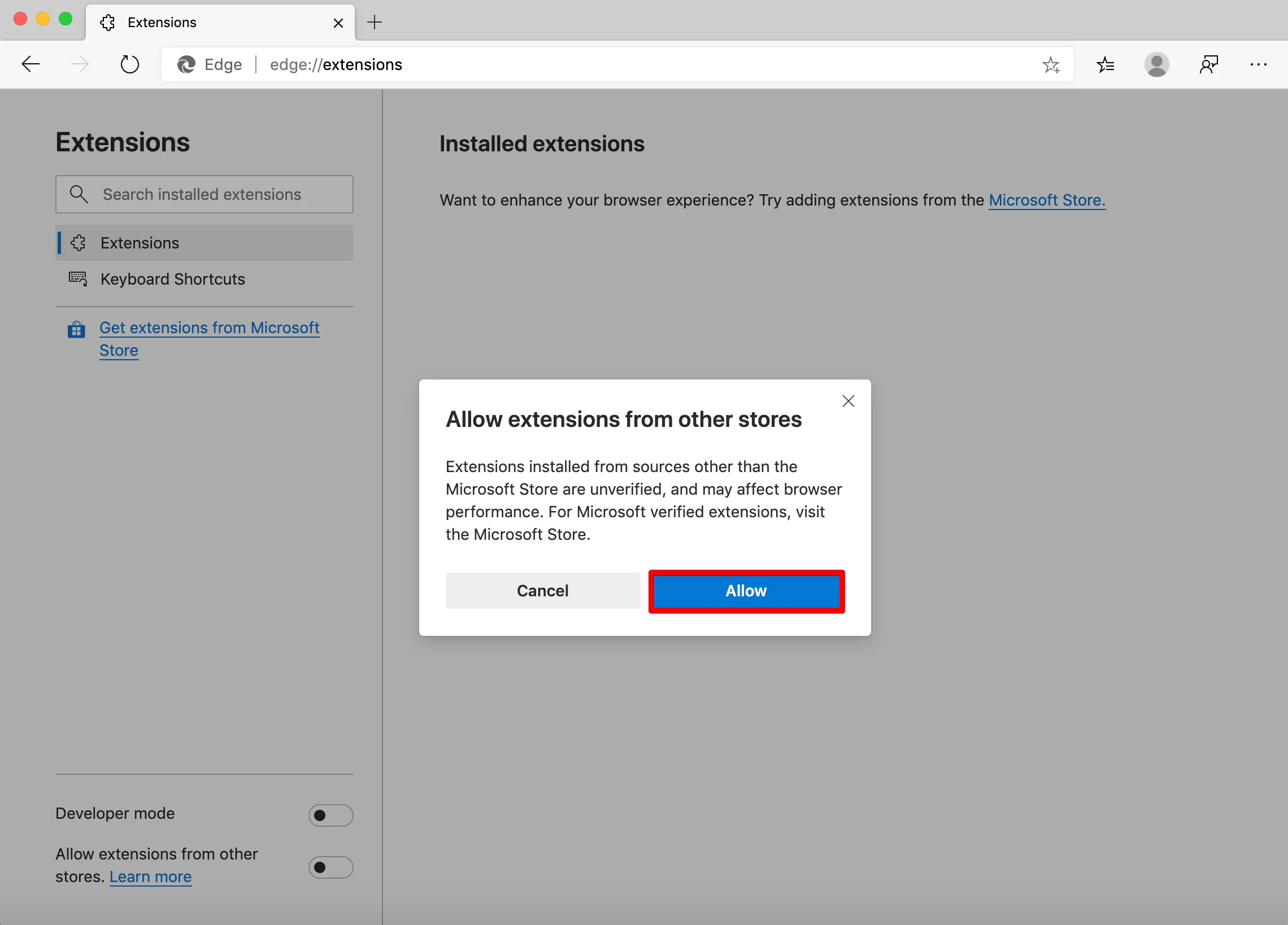
- 启用左下角的选项允许来自其他商店的扩展程序。

Error 500 (Server Error)!!1500.That’s an error.There was an error. Please try again later.That’s all we know.
Error 500 (Server Error)!!1500.That’s an error.There was an error. Please try again later.That’s all we know.
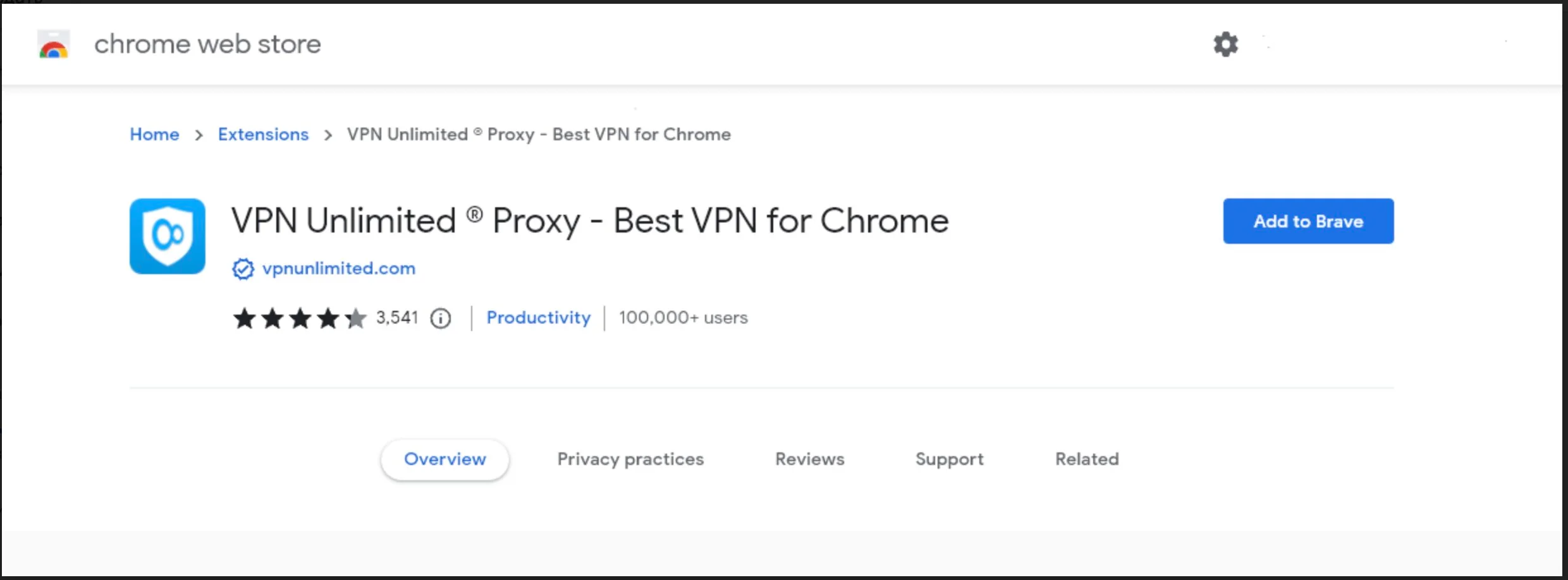
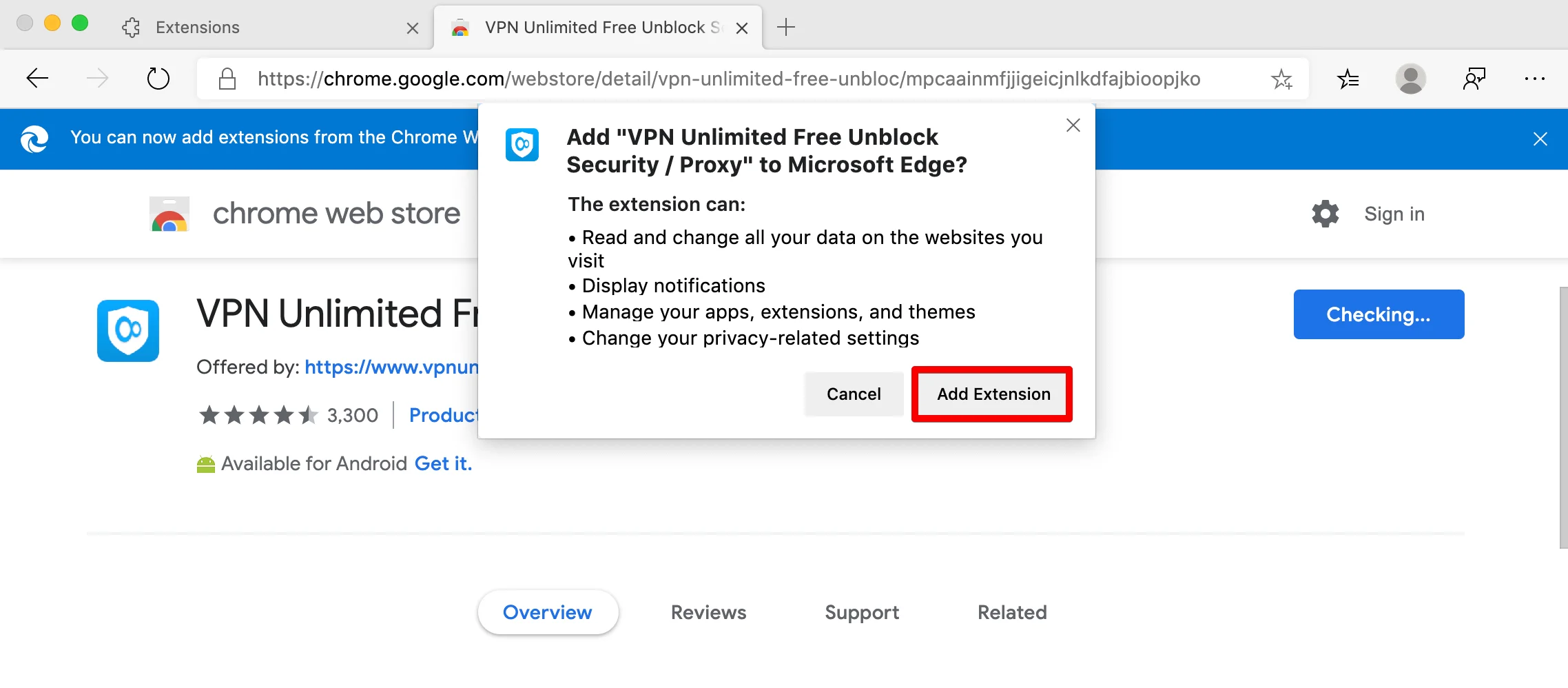
就是这样!您将看到最终提示,确认 VPN Unlimited 已添加到 Microsoft Edge。单击 VPN Unlimited 图标,使用您的 KeepSolid ID 登录,启用 VPN 连接,然后私密地浏览网页!