




TCL 的 Roku 智能电视由 Roku 操作系统管理。虽然无法直接在 TCL Roku 电视上安装 VPN Unlimited,但您可以通过在路由器或 MacBook 上安装该应用程序来解决此问题。

如何在 TCL Roku 电视上使用 VPN
TCL 的 Roku 智能电视因其高品质和实惠的价格而赢得了巨大的市场份额。不幸的是,即使是最先进的 TCL Roku 电视的性能也受到地理限制,这就是为什么许多 TCL 用户有兴趣为他们的 Roku TCL 电视安装 VPN 连接。
Having paired up your TCL Roku TV with VPN Unlimited you get:
- Region-free access to all popular streaming platforms;
- A reliable high-speed connection ideal for HD- and UHD-streaming: our Virtual Private Network is faster than an express train;
- The winning combination of a 7-day free trial backed with a 30-day money-back guarantee;
- A money-saving Lifetime Subscription plan.
Note: Want to install VPN Unlimited to use it with smart TVs by other manufacturers? To get the app, please, follow our page on How to download, install and use VPN Unlimited on a Smart TV.
如何为 Roku TCL 智能电视提供 VPN
现代智能电视与前数字时代的 4:3 祖辈电视有很大不同。现代宽屏设备的架构与计算机非常接近:它们具有处理器核心、RAM 和管理硬件的操作系统。
TCL Roku 电视由专有的 Roku 操作系统管理:因此,无法直接在 TCL 电视上安装 VPN Unlimited。不过,仍然可以通过使用 MacBook 通过 WiFi 共享虚拟专用网络连接或在路由器上安装 VPN Unlimited 来规避此问题。这里有一种不同的表达方式:TCL Roku 智能电视本身上的 VPN 不是一个可行的选择,但您可以将智能电视连接到已连接 VPN Unlimited 服务的路由器或笔记本电脑。
值得注意的是,还有一些由 Android TV 操作系统管理的 TCL 智能电视。如果您是 TCL Android TV 的所有者,您可以直接在设备上安装 VPN Unlimited:请点击此链接了解详细信息。不过,TCL Android 电视与 Roku 电视一样,也可以通过路由器或 MacBook 连接到虚拟专用网络。
在 TCL Roku 电视上安装 VPN:3 个简单步骤

步骤1
点击此链接下载 VPN Unlimited您的设备。
步骤2
使用 本指南 用于在路由器上安装和设置虚拟专用网络,或使用 MacBook 来共享 VPN 连接。

步骤3
使用此综合手册用于将您的 Roku 设备连接到启用 VPN 的设备路由器。
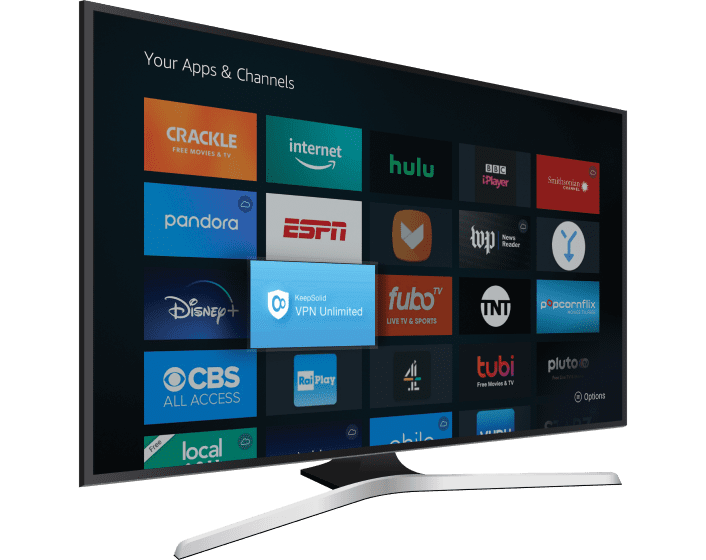
虚拟专用网络如何在 TCL Roku 电视上工作
安装我们的虚拟专用网络应用程序后,您可以访问位于全球 80 多个地区的 3000 多台服务器。我们的服务可帮助您虚拟旅行到媒体内容不受限制的地方,以便您可以在 TCL Roku 电视上欣赏。我们的连接速度始终很高,我们的服务 24/7 在线。
VPN Unlimited 使用最先进的 AES-256 加密来保护您的互联网流量;我们绝不会存储您的浏览历史记录,也绝不会透露给任何第三方。我们不仅可以帮助您观看其他方式无法观看的媒体,还可以让您自由地以任何您喜欢的方式表达自己,同时享受完全匿名。
安装 VPN Unlimited 以充分利用您的流媒体服务
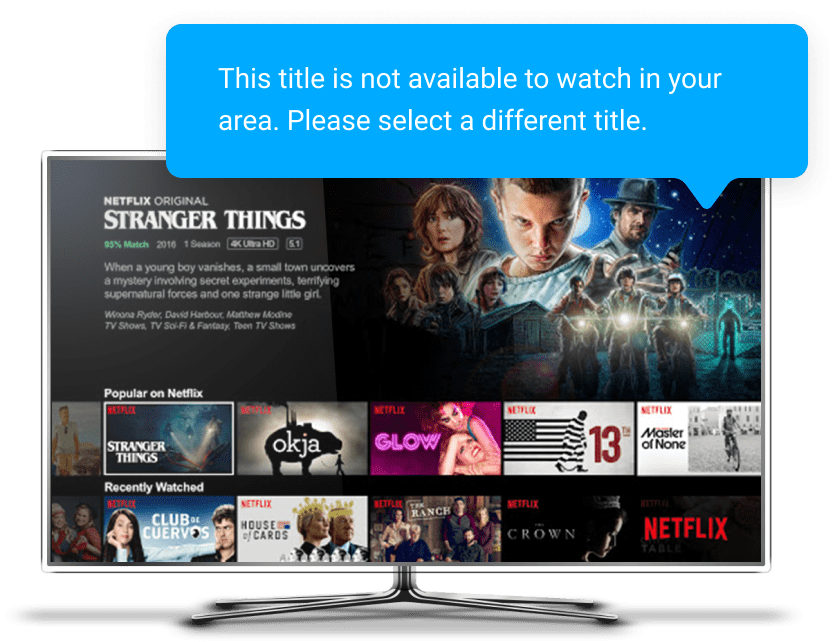
订阅流媒体服务后,您不会自动访问所有电影并显示其存储在其库中。例如,Max 订阅者可以观看的影片数量几乎是其他地区订阅者的两倍。因此,在您所在的国家/地区不可用的地理限制内容仍然可以从其他位置看到。
VPN Unlimited 消除信息障碍:只需选择位于内容不受限制的地区的服务器即可享受您想看的节目!搭乘我们超快的自由快车,在 Disney+、Crackle、YouTube、Peacock 和众多其他平台上观看地理限制视频。
免责声明:TCL 的部分智能电视对其销售地点进行区域锁定。除非您更改智能电视区域,否则某些内容可能仍然不可用。
将 VPN Unlimited 与您的 TCL Roku 智能电视配对并享受

多种数字平台支持
我们的服务不仅是您的 TCL Roku 智能电视的绝佳选择,而且还与 iMac、Windows、Linux、iOS 和 Android 等众多其他数字平台完全兼容。

高速连接非常适合高清和超高清媒体
即使在 YouTube 等需要非常高连接速度的流媒体平台上也能享受媒体的乐趣。无故障、无冻结,始终呈现水晶般清晰的画面:我们广泛的虚拟专用网络服务器网络就像特快列车一样快。

防黑客加密
您发送到我们的虚拟专用网络服务器或从我们的虚拟专用网络服务器接收的信息均受到最先进的 AES-256 加密的保护:可靠地确保您的隐私。

访问原本不可用的媒体
Error 500 (Server Error)!!1500.That’s an error.There was an error. Please try again later.That’s all we know.