如何在 Windows XP SP3 上安装 VPN Unlimited 应用程序

想要为您的 Windows XP PC 提供可靠的 VPN 保护吗?本指南包含有关如何在 Windows XP SP3 上安装 VPN、开始使用 VPN Unlimited 应用程序、将此安全解决方案更新到新版本以及轻松管理它的详细分步说明。请务必检查全部!


注意:VPN Unlimited 也可以作为 MonoDefense® 安全捆绑包的一部分提供。


  1. 如何安装适用于 Windows XP 的 VPN?
  2. 如何从 Windows XP 设备中删除 VPN Unlimited?
  3. 如何使您的 VPN 应用保持最新状态?

1.安装适用于 Windows XP 的 VPN


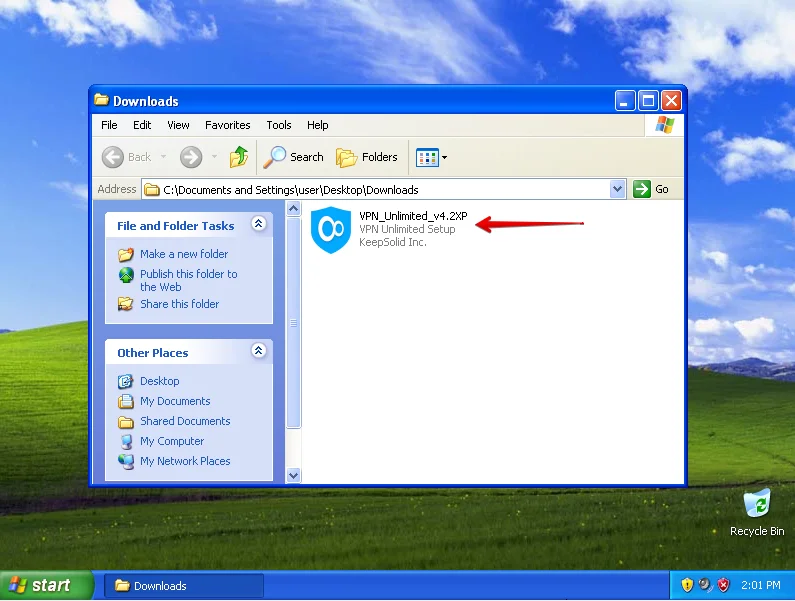
要为您的 Windows XP SP3 获取 VPN Unlimited,请转至以下页面,然后单击下载 Microsoft Windows XP SP3。 
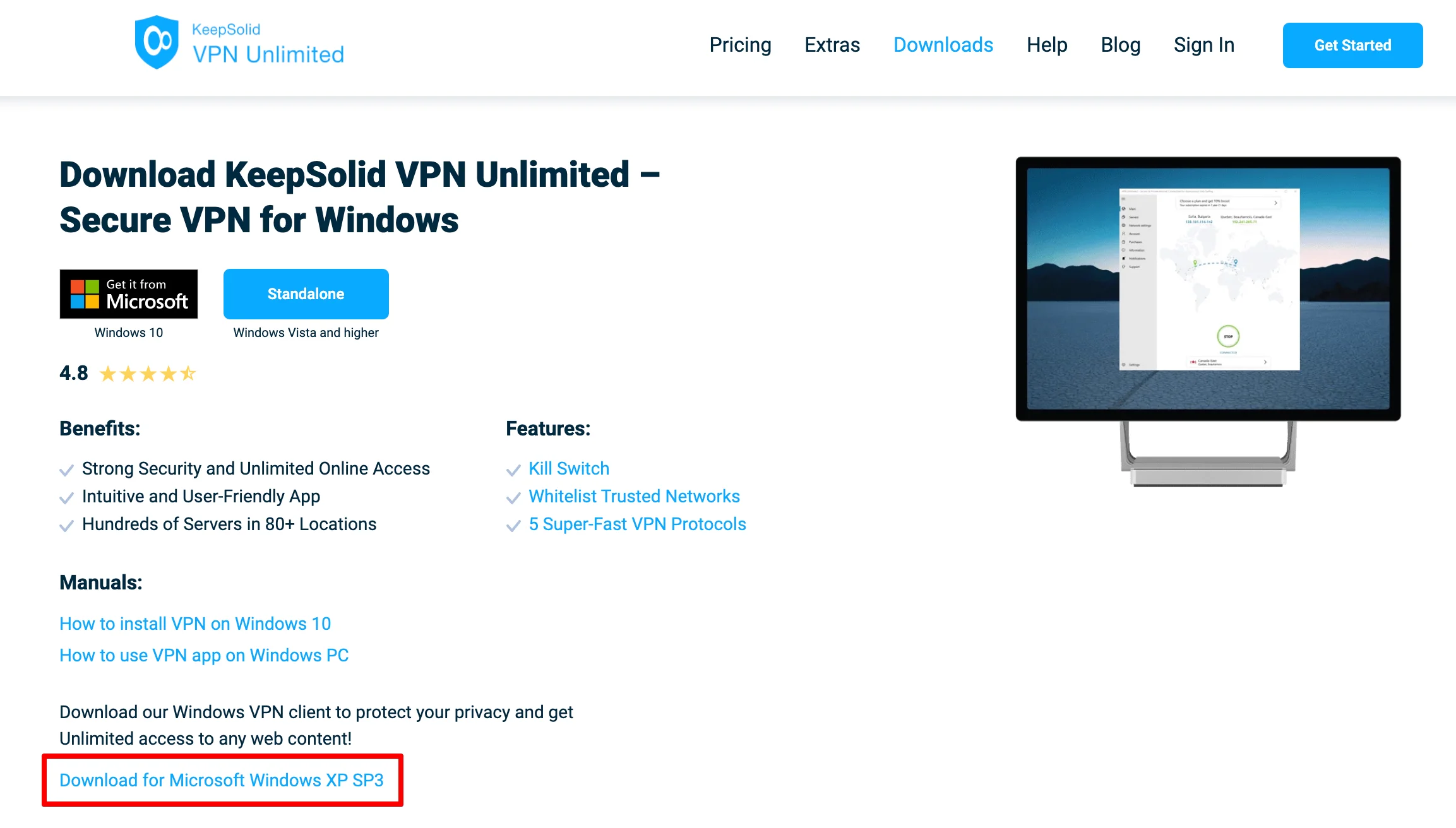
Download the VPN Unlimited application for Windows XP SP3 (Standalone Version)

文件下载将开始。该过程完成后,启动下载的安装程序。

Download the VPN application on your Windows XP SP3 PC

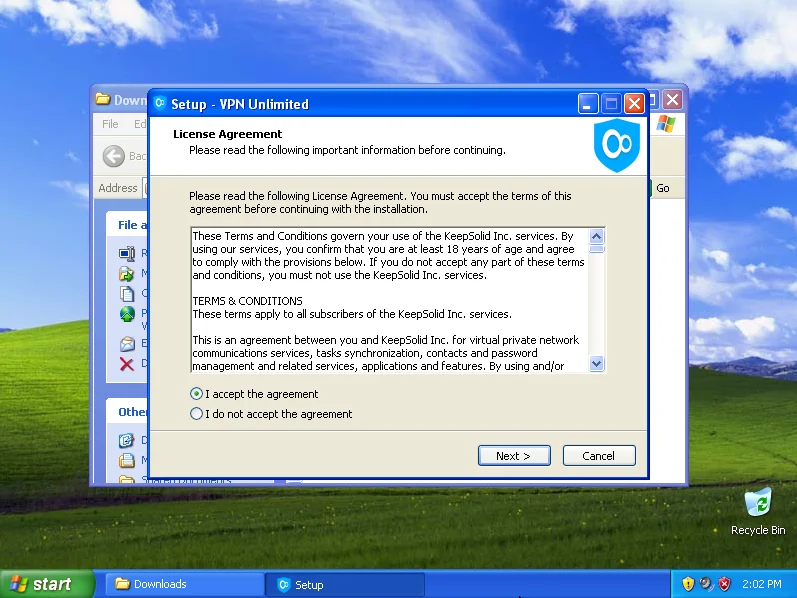
接受许可协议并点击下一步。

How to install KeepSolid VPN Unlimited Application on Windows XP SP3 PC

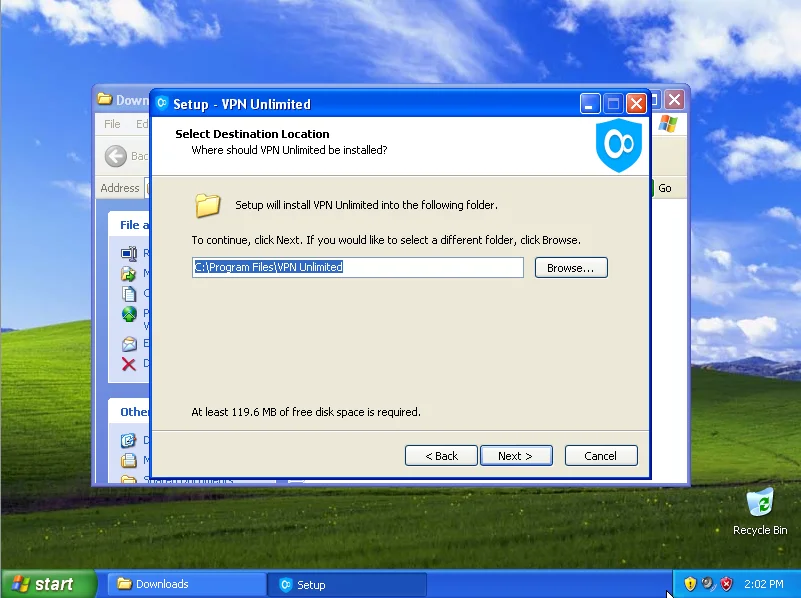
选择程序安装路径,或保留默认路径并单击下一步。

Install the VPN program on Windows XP SP3 PC
Error 500 (Server Error)!!1500.That’s an error.There was an error. Please try again later.That’s all we know.
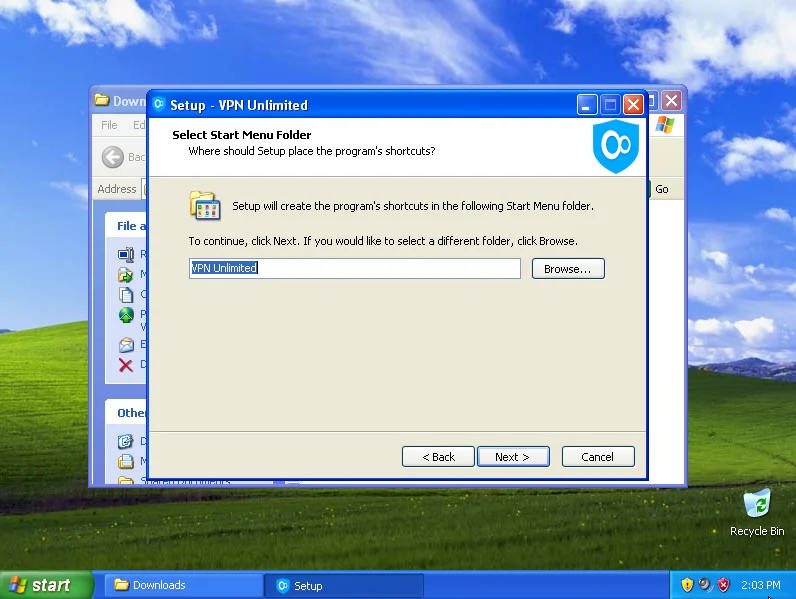
Select the folder name in the Start menu, where shortcuts of the program will be created

选择您要在 Windows XP 设备上创建启动 VPN 快捷方式的位置,然后点击下一步。
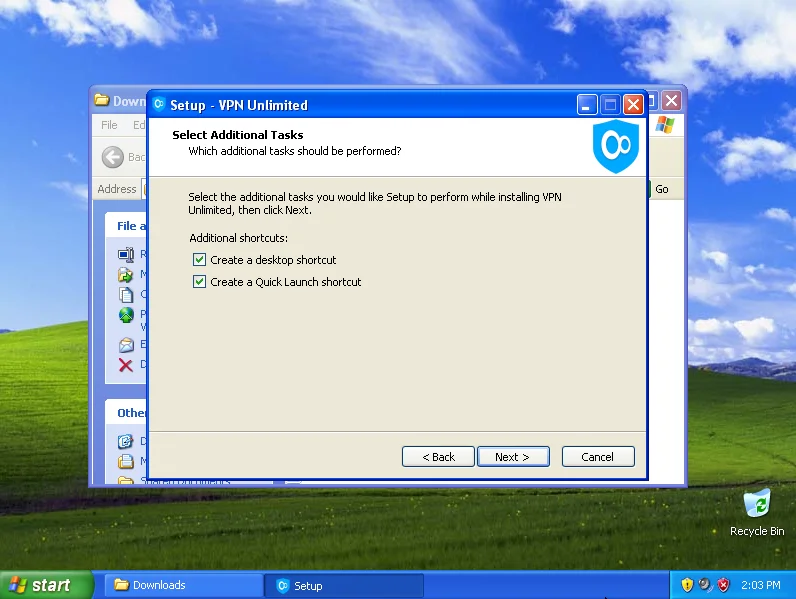
How to install and use VPN App on Windows XP SP3 - Select where you would like to create shortcuts

在下一个窗口中,单击安装开始安装适用于 Windows XP SP3 的 VPN Unlimited 软件。
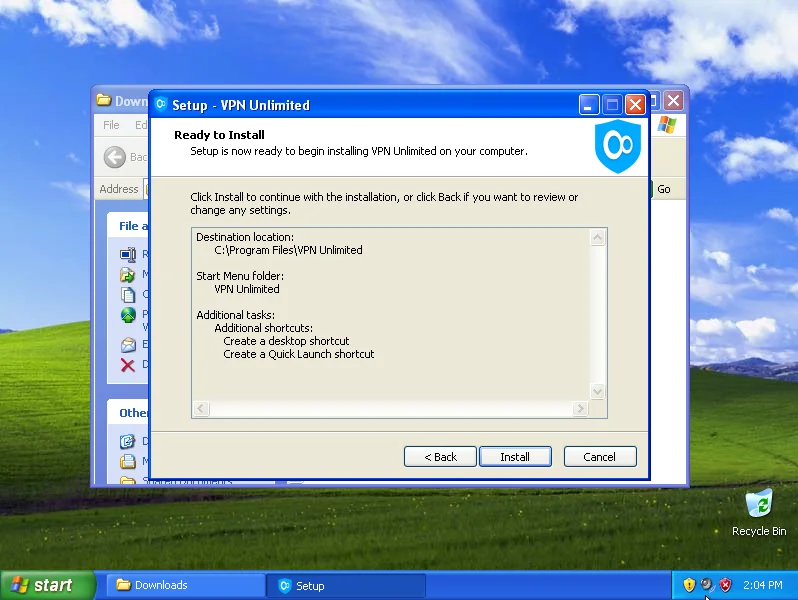
Start the installation of VPN software on Windows XP SP3 PC

如果您没有安装运行该程序所需的 Microsoft Visual C++ Redistributable 软件包,安装程序将提示您安装此软件包。要按照该过程进行操作,请接受许可协议并单击“安装”。成功安装软件包后单击“关闭”。
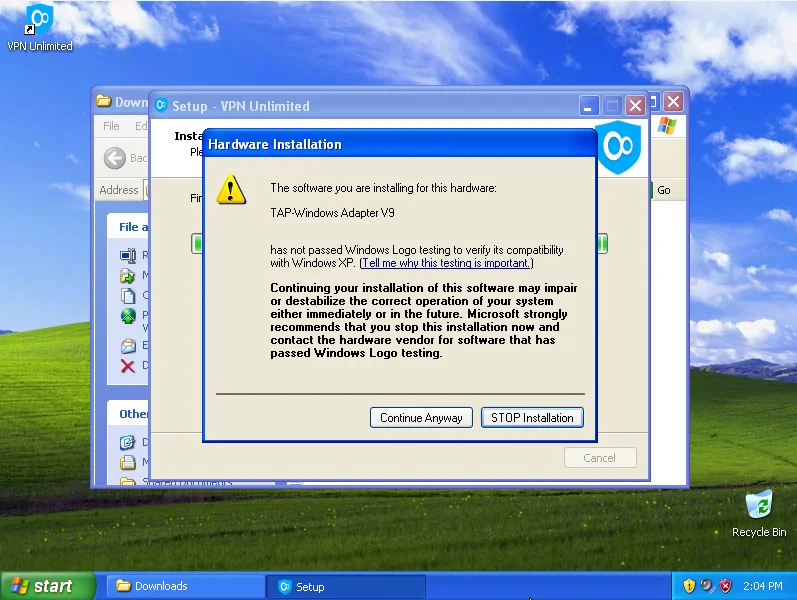
Error 500 (Server Error)!!1500.That’s an error.There was an error. Please try again later.That’s all we know.
The next step is to install TAP Adapter. To do so, click Continue Anyway - VPN for Windows XP SP3 PC

安装过程完成后,系统可能会要求您重新启动计算机。选择是立即重新启动 Windows 电脑,然后单击完成。
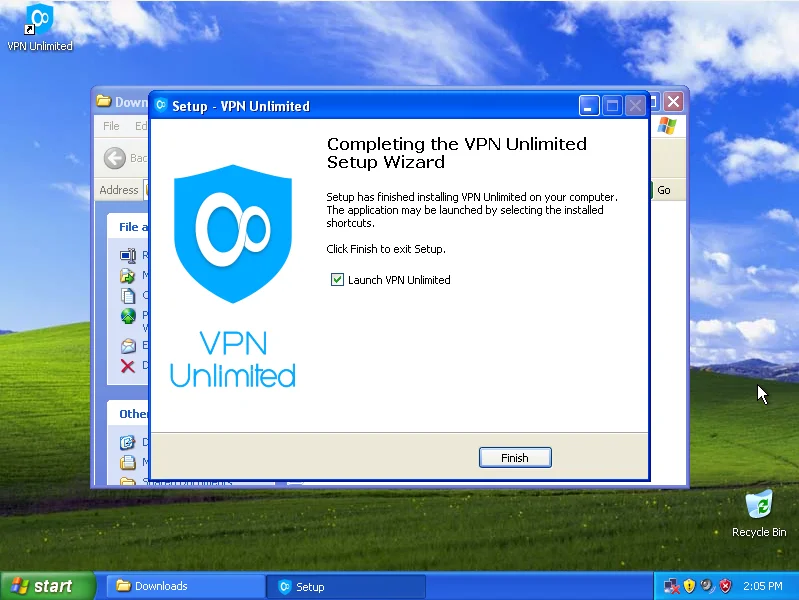
Complete the installation of VPN Unlimited app on Windows XP

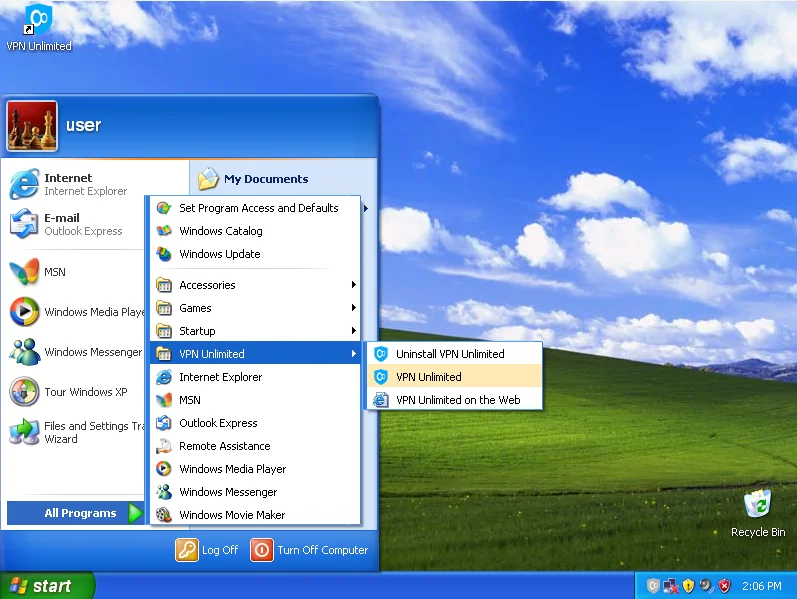
启动应用程序:开始 >所有程序 > VPN无限> VPN 无限。

Launch the VPN Unlimited application on Windows XP SP3 PC

如果在应用程序启动时,Windows 防火墙或系统中安装的任何其他防火墙请求 open-vpn.exe 和 vpn-unlimited.exe 文件访问网络的权限,请允许访问。
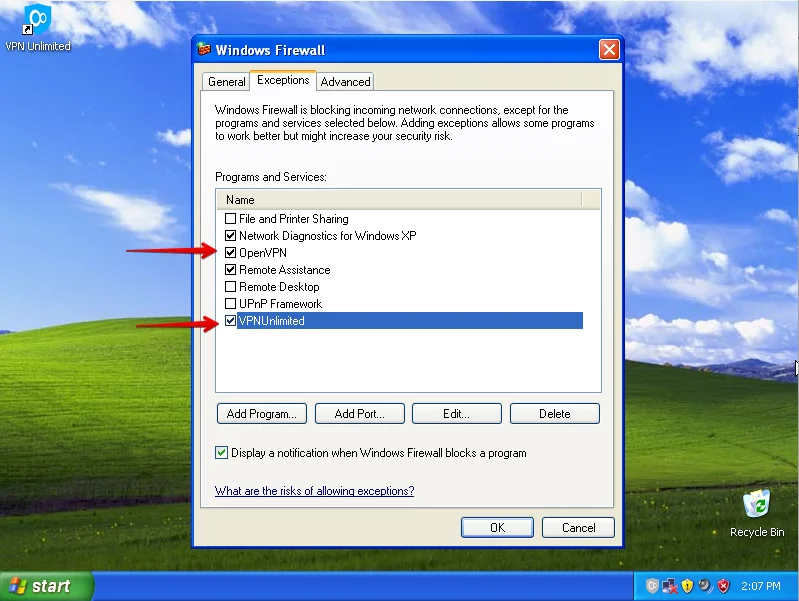
Allow the access for the openvpn.exe and vpn-unlimited.exe files at the start of the app

就是这样!您已在 Windows XP PC 上成功安装 VPN Unlimited,现在您可以私密、安全地上网冲浪。 

要开始您的无限制在线之旅,您应该登录您的 VPN Unlimited 帐户。如果您已有 KeepSolid ID,只需输入您的电子邮件地址和密码,然后点击登录按钮。您也可以继续使用 Facebook 或 Google 帐户。

要创建新的 KeepSolid ID,请点击创建 KeepSolid ID,输入您的电子邮件地址和密码。然后重复您的密码,选中通过继续,您同意我们的...旁边的框,然后点击注册按钮。

有关 KeepSolid ID 以及为何需要它的更多信息,您可以在此页面上找到。


要充分利用该应用,请查看我们的手册,了解如何在 Windows 上使用 VPN Unlimited

保护您的 Android 智能手机,保护您的 macOS 笔记本电脑流量,并确保您的 Chrome 浏览器不会泄露您的 IP 地址!

App StoreMac App StoreGoogle PlayMicrosoft Store

2.删除 Windows XP 的 VPN Unlimited


要删除适用于 Windows XP 的 VPN,请导航至控制面板 > 添加或删除程序,选择VPN Unlimited,然后单击删除按钮。
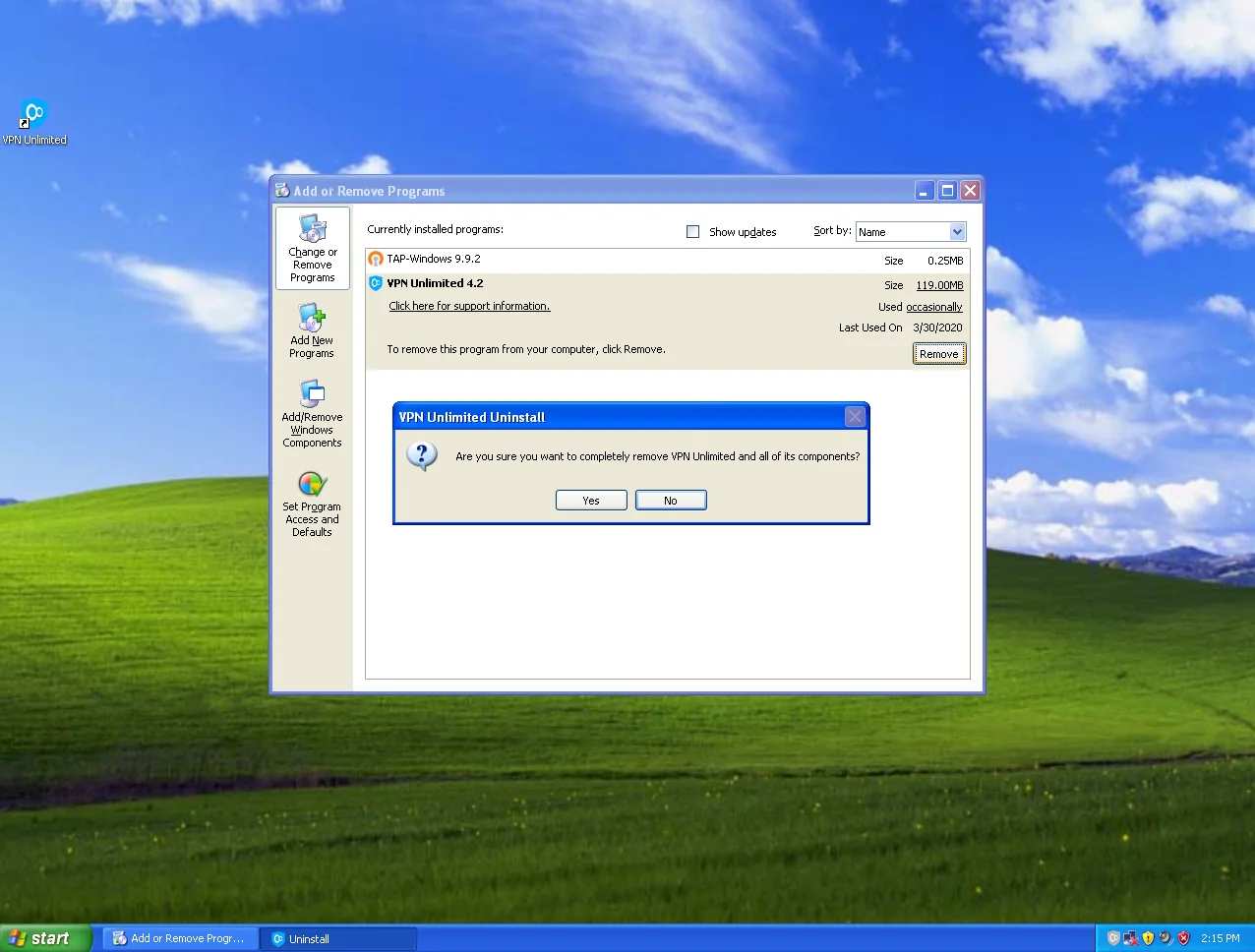
Removal of the VPN Unlimited application on Windows XP SP3 PC

3.更新适用于 Windows XP 的 VPN


VPN Unlimited 每当启动时都会自动检查更新。不过,您可以手动检查新版本:右键单击系统托盘中的 VPN Unlimited 图标,然后选择检查更新选项。
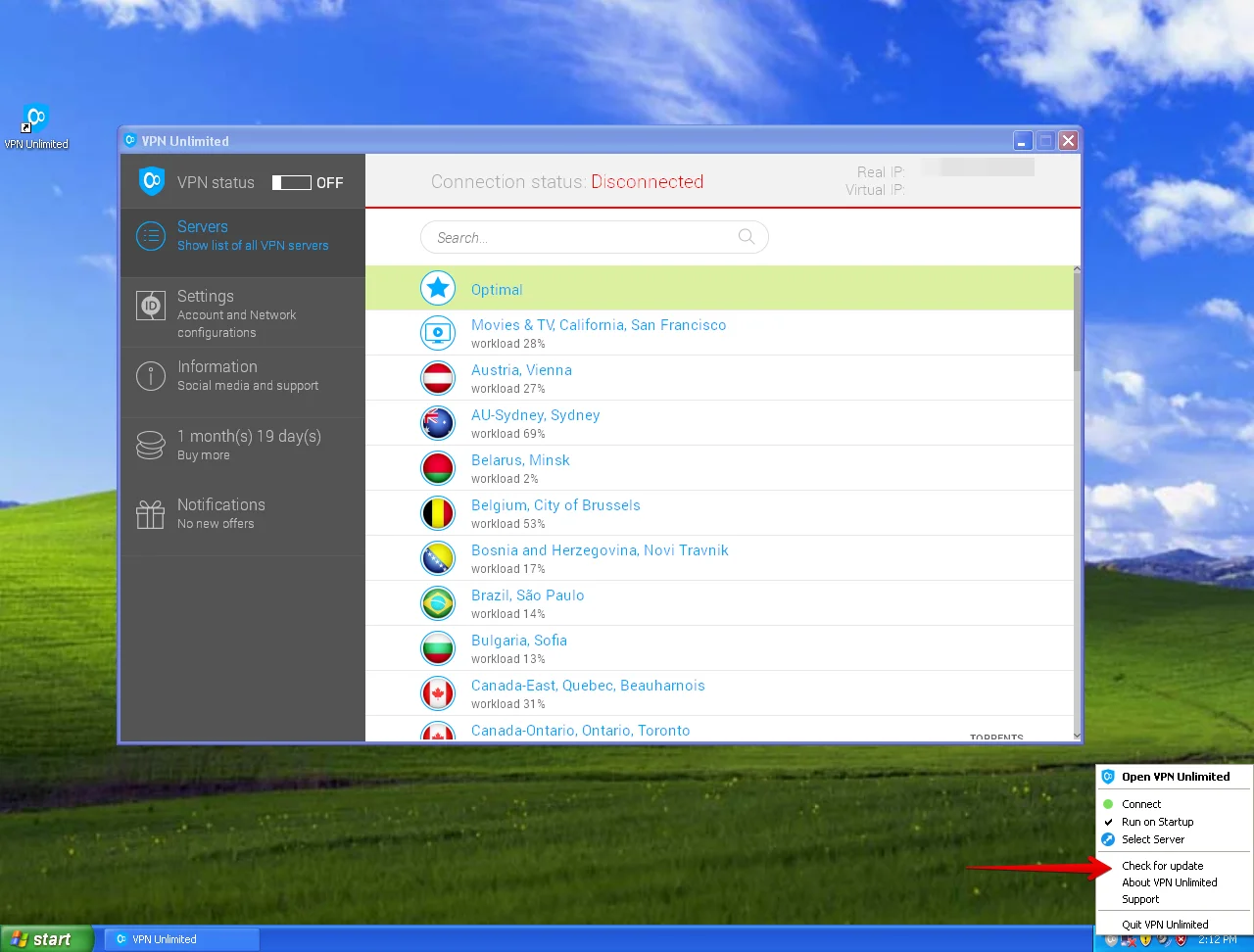
Update to the latest version of the VPN application

如果有可用更新,请安装它以享受适用于 Windows XP 的最新版本的 VPN。


对我们的服务有任何疑问、意见或建议吗?请通过 [email protected] 联系我们的客户支持团队。我们随时准备全年 365 天、每天 24 小时为您提供帮助!

Error 500 (Server Error)!!1500.That’s an error.There was an error. Please try again later.That’s all we know.
App StoreMac App StoreGoogle PlayMicrosoft Store

VPN 匿名浏览的无限功能

强大的 AES-256 加密
Error 500 (Server Error)!!1500.That’s an error.There was an error. Please try again later.That’s all we know.
了解更多
强大的 AES-256 加密
IP地址替换

VPN Unlimited 在全球 80 多个地点提供 3000 多个闪电般快速的 VPN 服务器。连接到这些服务器中的任何一个时,您的真实 IP 地址都会被伪装成远程 VPN 服务器 IP 地址。因此,您可以在互联网上保持隐身状态,并不受限制地访问任何网站和在线服务。

了解更多
IP地址替换
互联网终止开关选项

此选项旨在保护您的真实 IP 地址、实际地理位置和敏感在线数据不被泄露。 Kill Switch 持续监控您的 VPN 连接状态,如果检测到任何故障或中断,就会立即拒绝访问互联网。如果不启用此功能,您甚至可能不会注意到您的 VPN 连接不再处于活动状态,并继续浏览网页,就像什么都没发生一样。

了解更多
互联网终止开关选项

使用 VPN Unlimited 隐藏您的真实身份、敏感数据和在线操作,防止任何未经授权的访问!

App StoreMac App StoreGoogle PlayMicrosoft Store